Executive Summary
BoRider is an instructional robotic platform designed for children aged 6 to 24 months. The project’s core objective was to create a vehicle guided entirely by capacitive touch, allowing a child to direct movement (Forward, Backward, Left, Right) by interacting with the smooth exterior of the chassis.
Tech Stack: Python, Sensor Fusion, Visual Feedback, Audio Engine, 3D Printing, Advanced Materials, Drivetrain.
Documentation: View Source Code on GitHub
System Architecture
BoRider is an instructional robotic platform designed for children aged 6 to 24 months including three modes as the child grows - Manual (Implemented), Instructional (Planned), and Catch-Me (Planned) modes.
1. Hardware Integration & UI
The system is powered by a Raspberry Pi utilizing a distributed multi-processing Python architecture to handle simultaneous telemetry and I/O.
- Sensor Fusion: Utilizes 5x HiLetgo TTP223B Capacitive Touch Switch modules mounted behind the transparent PLA. This enables touch-through-plastic interaction, eliminating mechanical failure points.
- Visual Feedback: A 60-pixel NeoPixel strip provides real-time motion telemetry with a circulating 2-pixel “chase” sequence.processing of the Raspberry Pi.
- Audio Engine: Dual-channel audio controller managing synchronized background music loops and event-triggered SFX via the Linux aplay architecture.
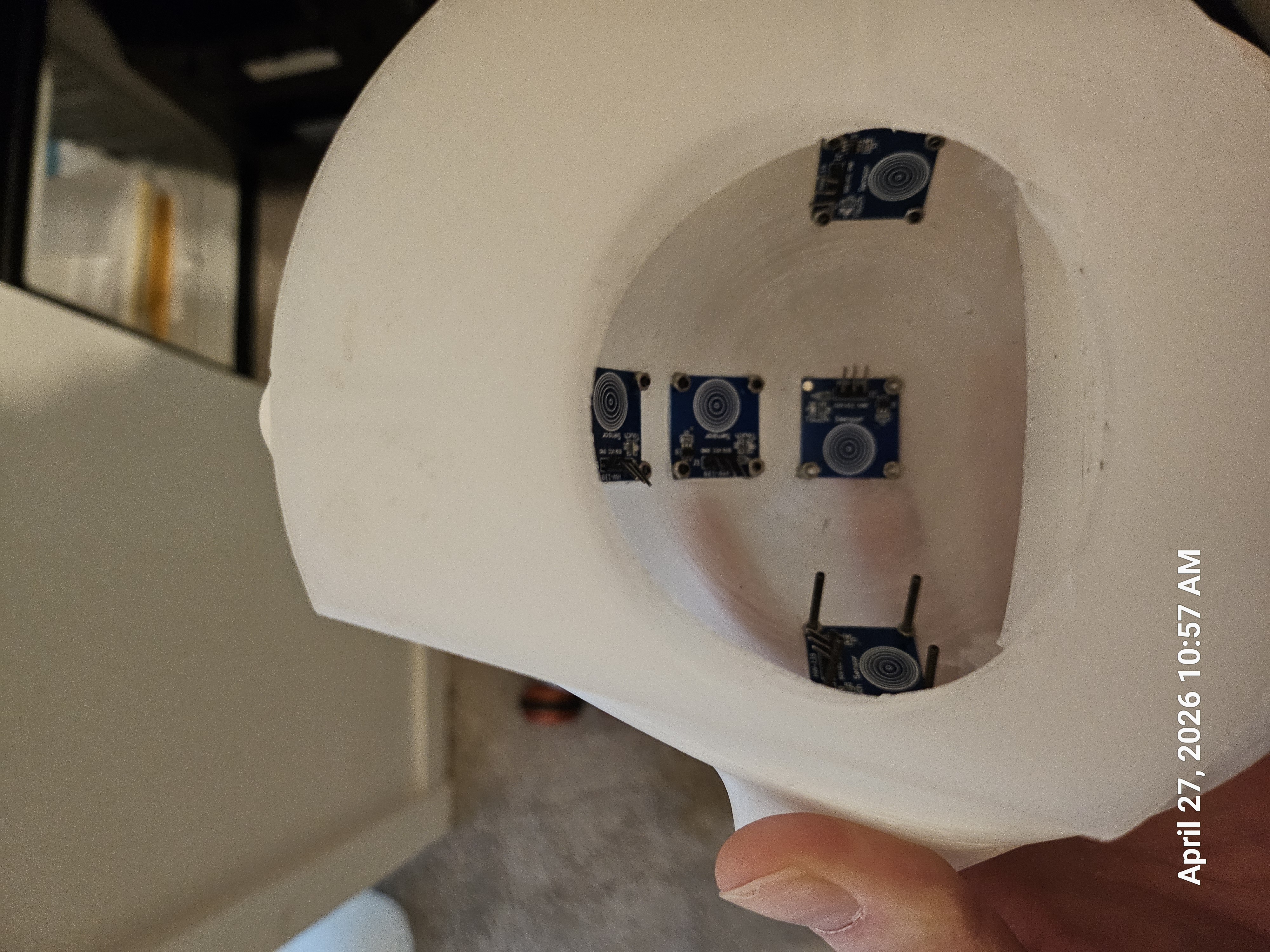
2. Design Constraints & Additive Manufacturing
- Form Factor: Scaled to 30 inches (76cm) to accommodate the target demographic.
- Chassis Construction: Custom-designed “King Boo” aesthetic, dimensioned to print within a 220x220x250mm build volume.
- Advanced Materials: Fabricated using transparent PLA to diffuse internal LED telemetry and Conductive PLA for seamless, localized touch points.
- Drivetrain: Fully 3D-printed drive axle and gear system integrated with a custom steering assembly.
3. Operational Architecture
- Manual Mode (Implemented): Direct mapping of capacitive inputs to DC motor drivers.
- Instructional Mode (Planned): A cognitive memory game requiring the user to mimic directional sequences.
- Catch-Me Mode (Planned): An autonomous evasion state utilizing proximity sensors to “flee” from detection.
Post-Mortem Mechanical-to-Electrical Failure
During high-load stress testing, a 3D-printed drive gear on the main axle experienced mechanical slippage. While performing live troubleshooting on the electrical harness to compensate for the torque loss, an accidental short circuit occurred between the positive and negative power rails. The resulting hardware failure served as a critical validation for the implementation of fused power distribution and reverse-polarity protection in future rapid-prototyping iterations.
# Core logic snippet: Multi-threaded Architecture for Non-Blocking Operations
def main():
    logger.msg('code.py', 'main()', "PROGRAM START")

    # Fix: Pass function reference, don't execute it
    p_low_led = Process(target=leds.turn_all_on_low_white)
    p_low_led.start()

    is_music_playing = False

    while True:
        try:
            sensor_touched = touch.main()
            logger.msg('code.py', 'main()', "INSIDE LOOP")

            if sensor_touched == 'error':
                reset_system(p_low_led)
                is_music_playing = False
                continue  # Jumps back to the top of the while loop safely

            if not is_music_playing:
                is_music_playing = True
                logger.msg('code.py', 'main()', "STARTING AV SUBSYSTEMS")

                # Ideally, leds.main() should be non-blocking
                Process(target=leds.main).start()
                audio.main(category='background_music')
                time.sleep(1)
            pan_distance = abs(pan_error)
            # Apply movement logic to PCA9685 via I2C